SOLVED ! 
I had a dream about this problem, and today I’ve tried following:
-
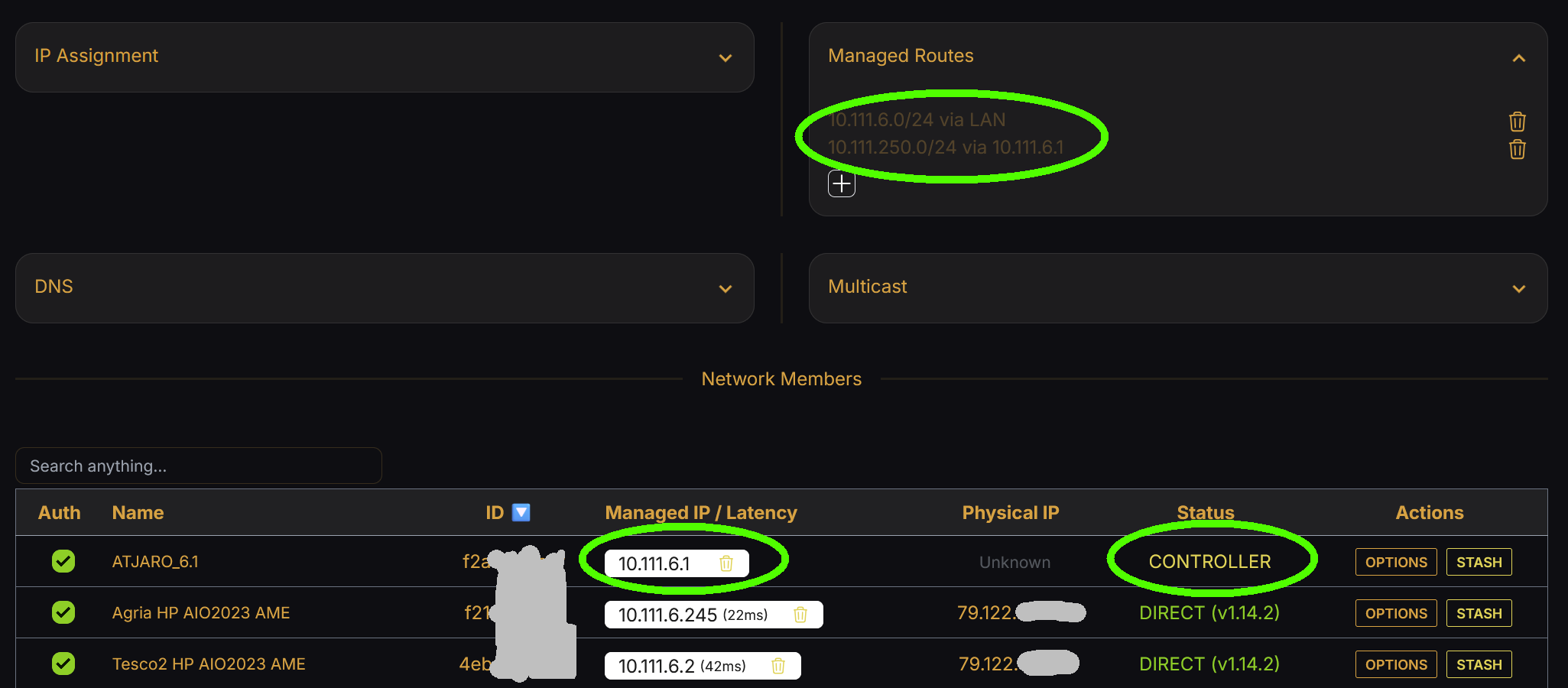
Simply tried to join all networks from inside the Controller docker!
docker exec zerotier zerotier-cli join f2a9************ -
(Of course, first I’ve deactivated the: “separate” docker container that was mend to be a “router”, connecting to all networks, as @erik suggested.)
-
Gave the IP to them as
xxx.1 -
Routed to my “master-network” through these IPs.
-
And at my “master-network”
10.111.250.0/24
I’ve set this route:10.111.0.0/16→10.111.250.1
Theoretically this setup should cause an IP conflict, but it’s working fine!
Now I have to create some debian firewall rules to prevent anybody to connect “back” to my PCs, but this is already a huge step toward full success.
It is strange, that nobody has suggested this simple solution to try out. I was already wondering why the controller is not capable to be a “client = controller gateway” with a fixed IP at the same time?
The next thing I will try:
- What will happen, if I restart the controller?
- Do I have to re-join all these networks, or is it remembering?